Troubleshooting Guide
v2.2.27.0
Popular Issues
Powered By

Title
Message
Create new category
What is the title of your new category?
Edit page index title
What is the title of the page index?
Edit category
What is the new title of your category?
Edit link
What is the new title and URL of your link?
Blocked Internal Drivers
Copy Markdown
Open in ChatGPT
Open in Claude
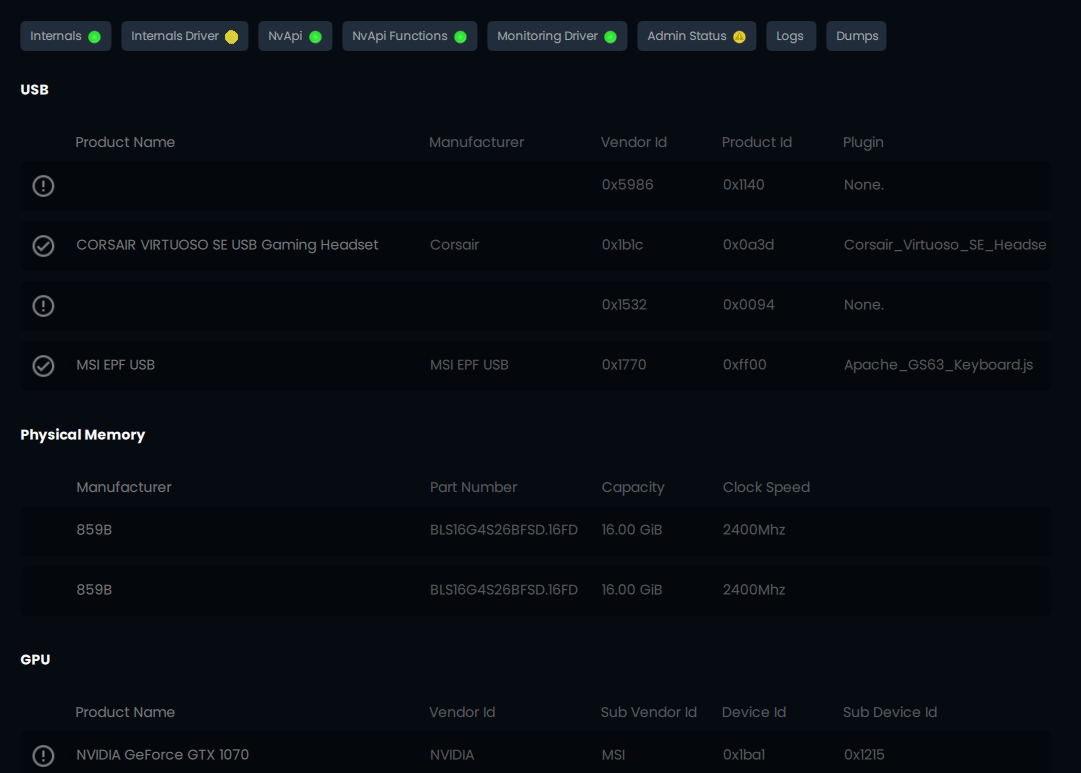
If you are experiencing the issue above with the Internal Driver tab being yellow follow the steps below.
Follow these steps to troubleshoot Blocked Internal Drivers.
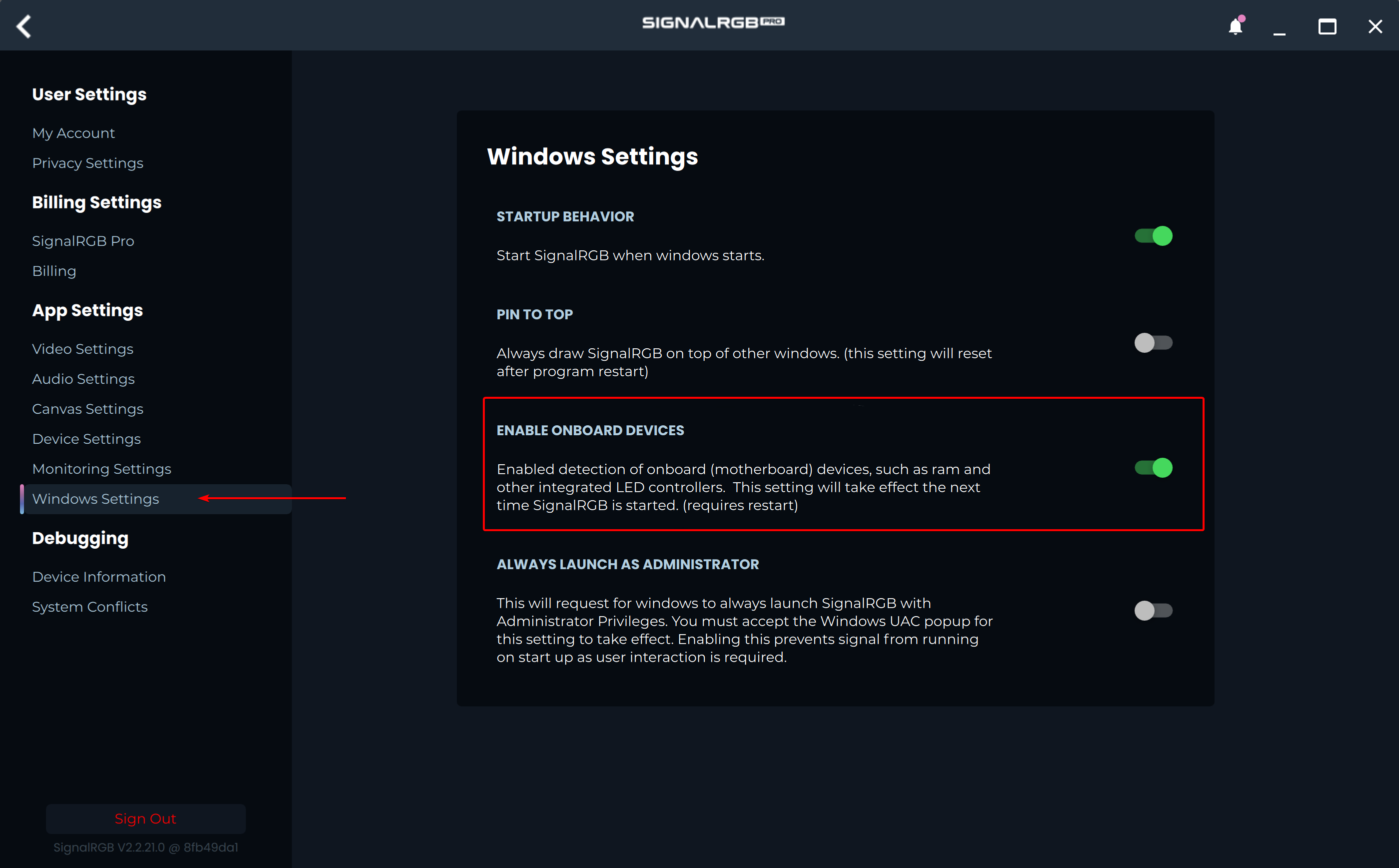
- In SignalRGB, click on the Settings icon, choose the Windows Settings page, and ensure "Enable Onboard Devices" is turned on.
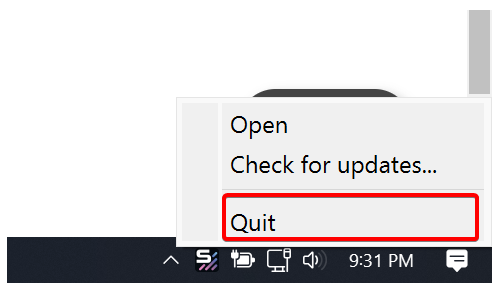
- Exit SignalRGB by right-clicking the tray icon and choosing Quit.
- Search for SignalRGB in the start menu, then right click on the app and choose Run as Administrator.
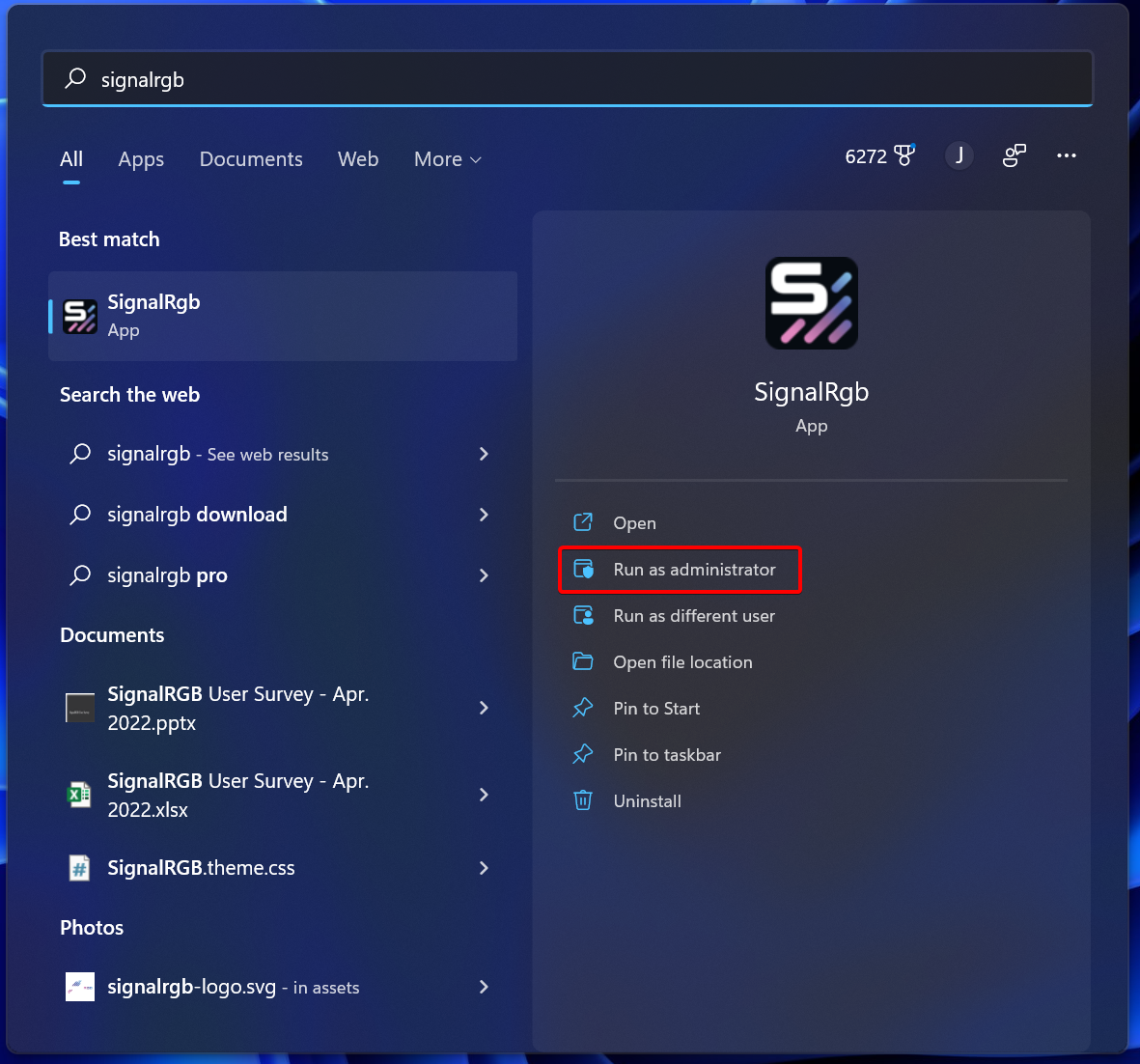
You must run SignalRGB as Administrator at least once after enabling onboard devices.
If your onboard devices are still not working, please try the following:
- Ensure your BIOS and Chipset Drivers are up to date by checking your motherboard manufacturer's website. This process varies from motherboard brand to motherboard brand.
- Perform a Full Power Cycle on your computer
Type to search, ESC to discard
Last updated on
Was this page helpful?
Next to read:
GPU Downclocking MemoryDiscard Changes
Do you want to discard your current changes and overwrite with the template?
Archive Synced Block
Message
Create new Template
What is this template's title?
Delete Template
Message
