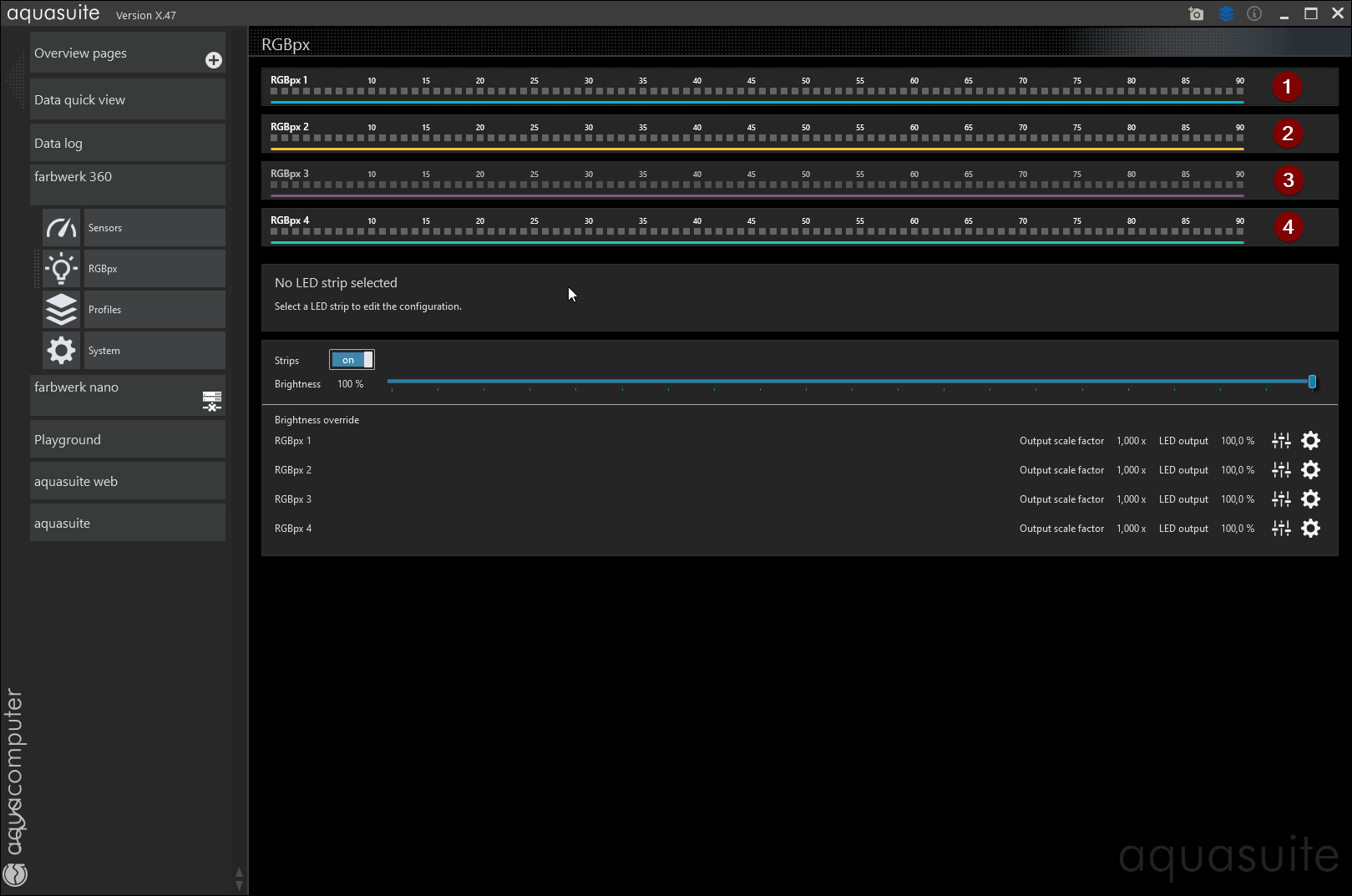
To make the Aqua Computer "Farbwerk 360" or the "Farbwerk Nano" work with SignalRGB, it has to be configured correctly with the manufacturer's software first!
Launch "aquasuite" with admin rights (right-click -> "Run as Administrator").
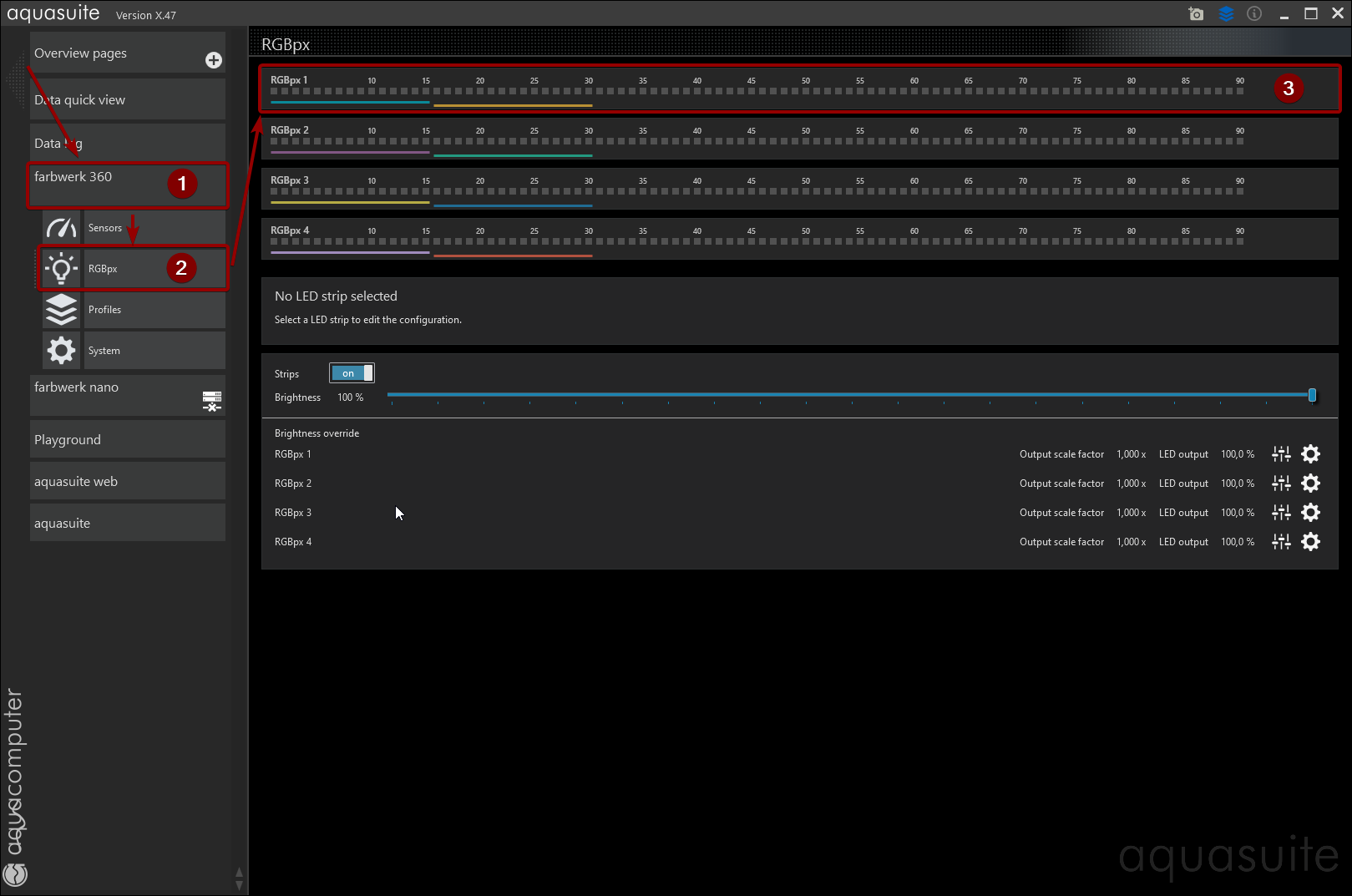
Select "farbwerk 360" (or "nano") -> "RGBpx" in the left main menu and click the "RGBpx 1"-channel in the main window.
Delete all "LED Controller" instances that might appear with selecting them and clicking the "X"-icon after that.
Repeat the step above for "RGBpx 2", "RGBpx 3" and "RGBpx 4" (only applies to Farbwerk 360 as the Nano only has one channel).
After deleting all "LED Controller" instances from all channels, select "RGBpx 1" again.
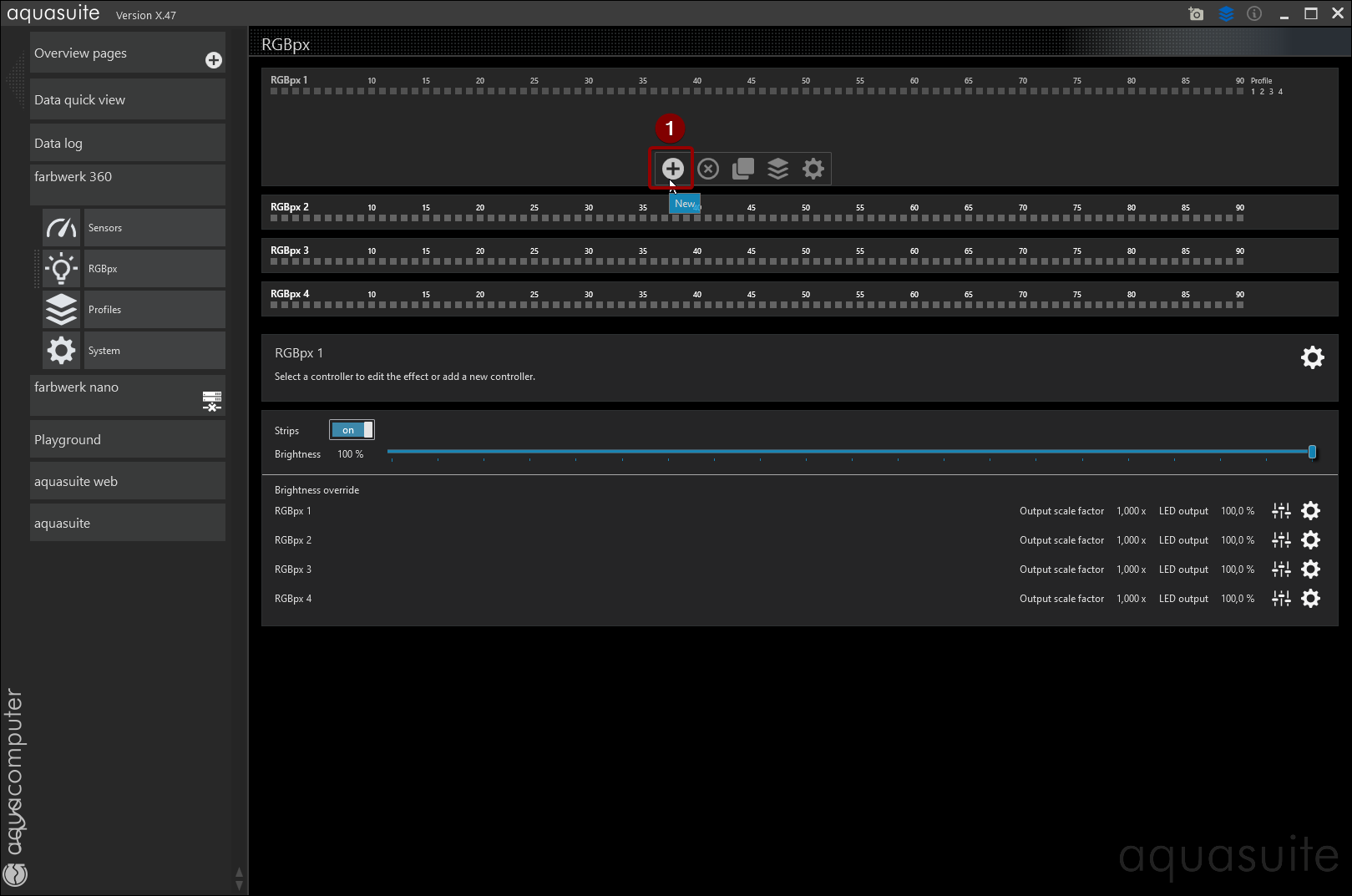
Click the "+"-icon to create a new "LED Controller" instance on that channel.
Select "AMBIENTpx" in the side panel that opens and confirm by clicking the "checkmark"-icon.
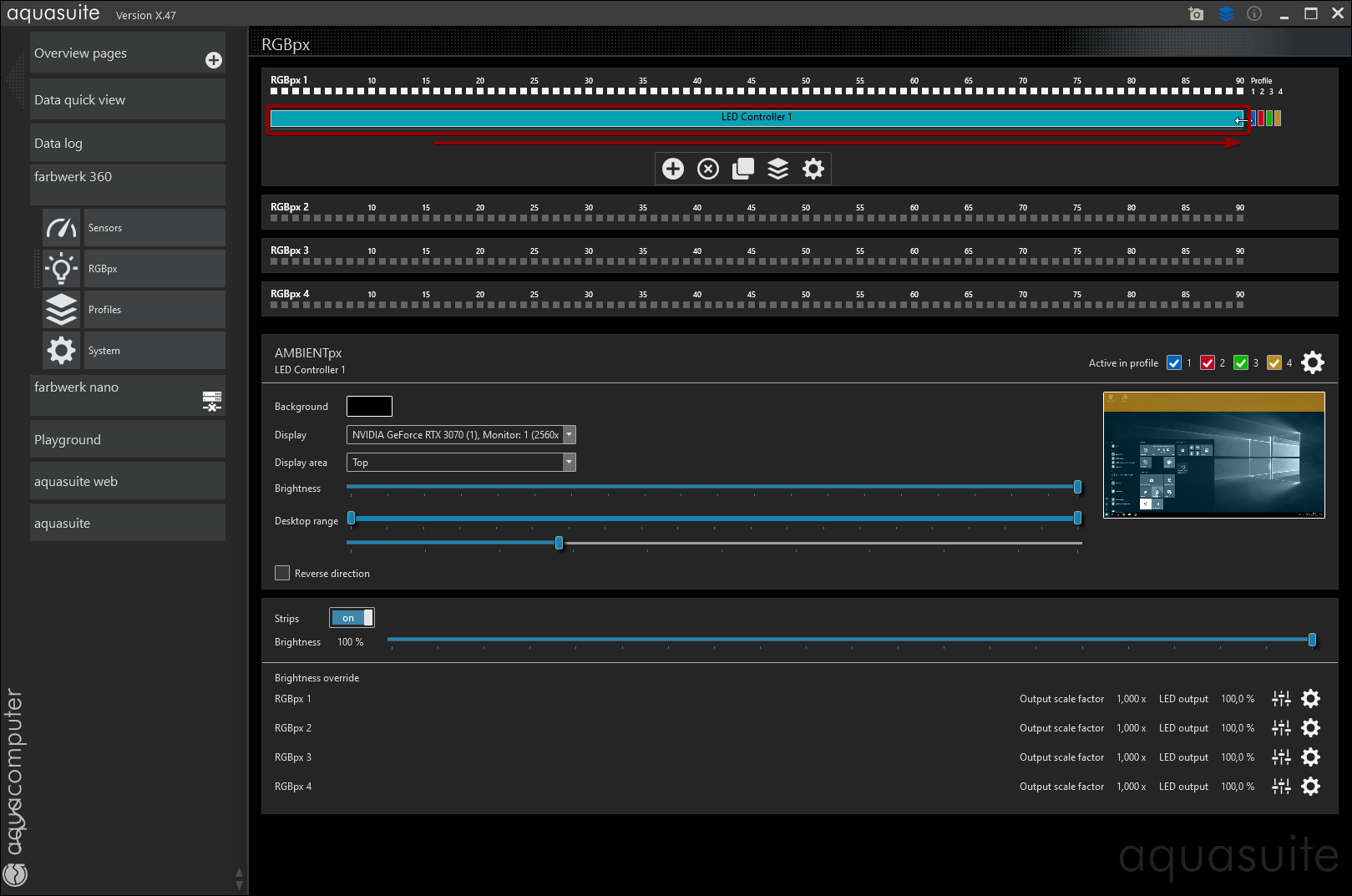
Enlarge "LED Controller 1" from the default 15 to the max supported 90 leds.
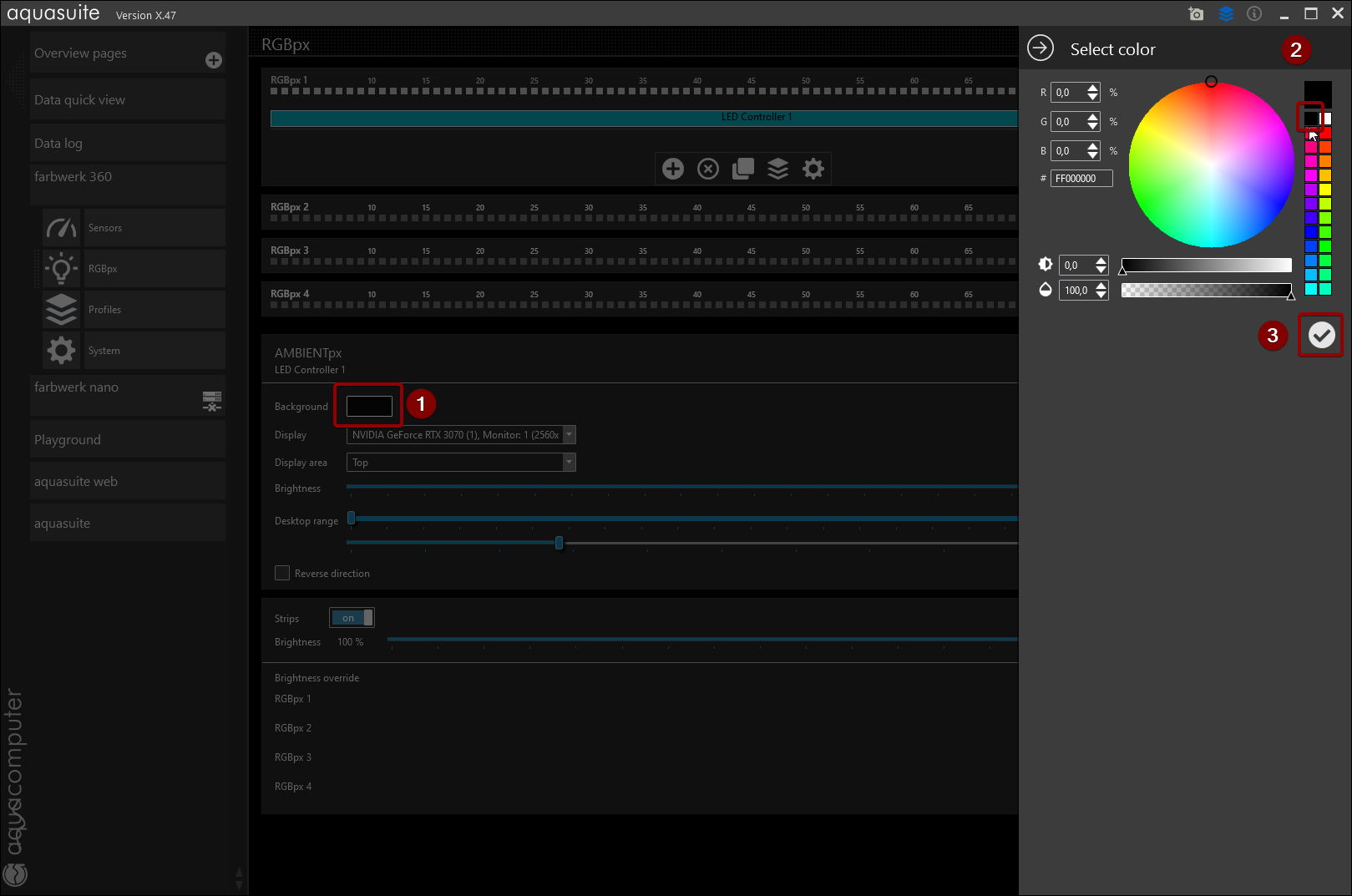
Click "Background" color box and select black in the color picker that opens, cofirm by clicking the "checkmark"-icon.
Repeat the steps above for "RGBpx 2", "RGBpx 3" and "RGBpx 4" (only applies to Farbwerk 360 as the Nano only has one channel).
Select "auqasuite" -> "Service" in the left main menu, click "Stop service" and quit the app after that by clicking the top right "X".
(Re-)start SignalRGB and setup your components.