
Instructions for flashing Massdrop keyboards with Signal RGB Firmware:
You are responsible if you brick your keyboard!
Note: This will override any custom keymaps you have made!
Grab a paperclip or other small object as you will need this later.
Download firmware for your keyboard from:https://www.dropbox.com/sh/bpmfb5bu37qg1sq/AACtKdbnyHkbIf3kmZE2q2sla?dl=0https://github.com/SRGBmods/QMK-Binaries/
Download Massdrop Loader from: https://github.com/Massdrop/mdloader/releases/download/1.0.7/mdloader-Windows.zip
Create a new folder named Massdrop, and extract the firmware and the mdloader executable into the newly created Massdrop folder. We wiu
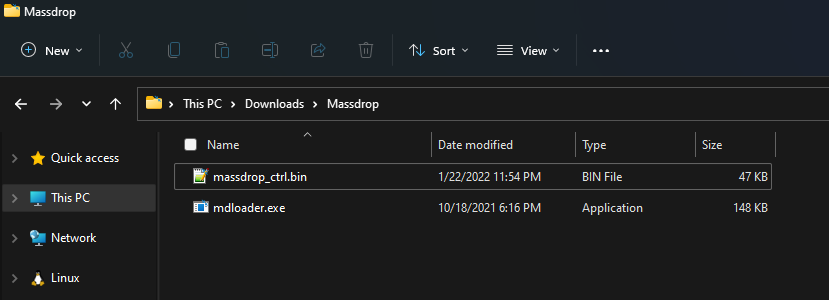
Press Shift + F10 in the Massdrop Folder and click "Open PowerShell window here"

You should now be greeted with a PowerShell window. Paste this command into the powershell window and change the filename to your firmware and press enter to run:
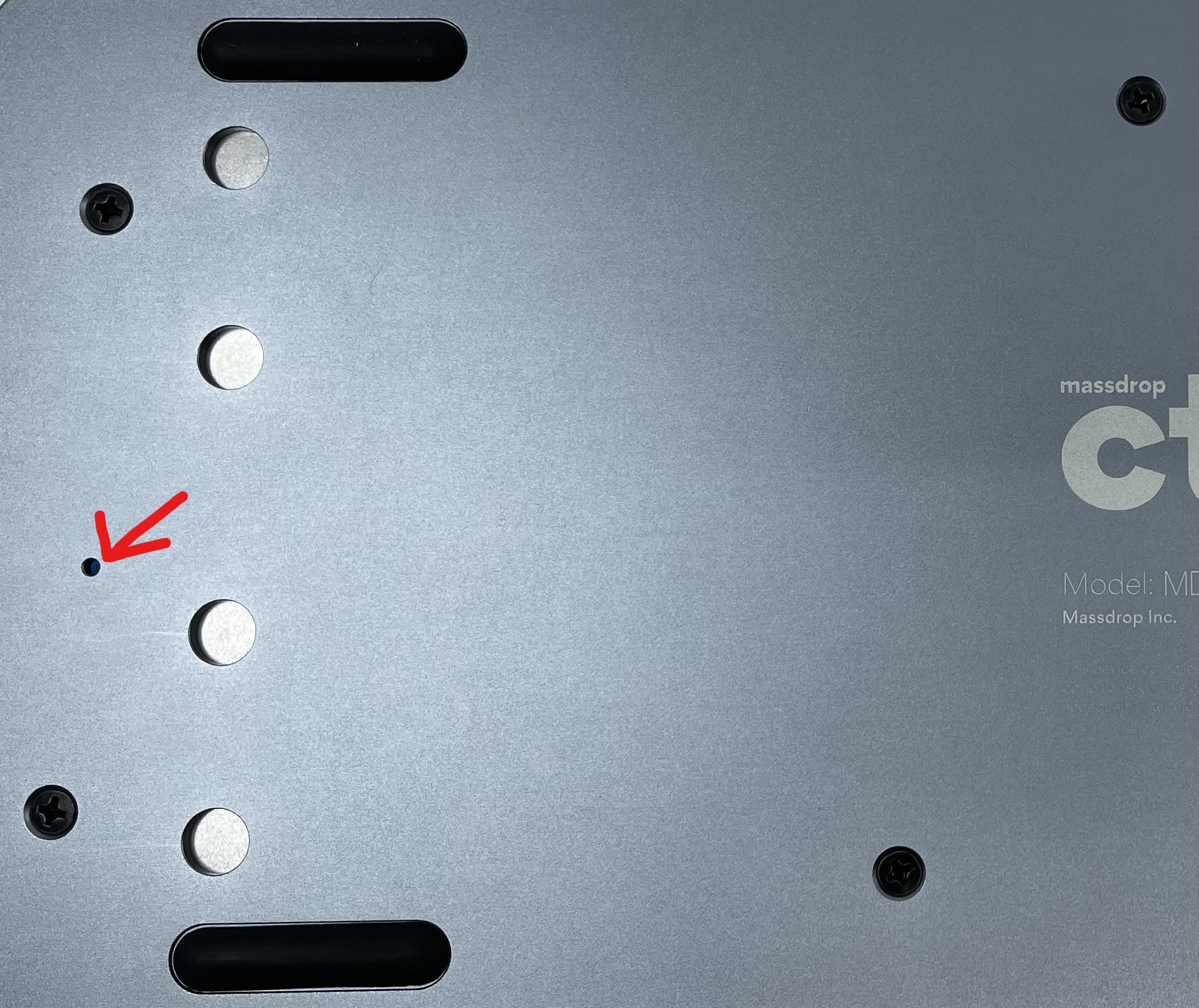
./mdloader --first --download massdrop_ctrl.bin -restartYou should now be greeted by the above message. If you are not, make sure that you followed the instructions correctly. Find a paperclip or other small object. Use the object to press the pinhole on the back of the board (shown below).
If a message like the one below appears, you need to run the command again.

A message like the one below should appear and your keyboard is now successfully flashed with SignalRGB compatible firmware.

